GDPR-Compliant Booking Software for Salons
GDPR-compliant booking software for salons: check consent, minimisation, exports, deletion, staff access, reminders, and vendor terms.
GDPR-compliant booking software for salons: check consent, minimisation, exports, deletion, staff access, reminders, and vendor terms. It covers why does salon booking create GDPR risk, what should a salon check before choosing booking software, does every booking form need consent, and how much client data should salon booking software collect.
GDPR-Compliant Booking Software for Salons: What to Check
GDPR-compliant booking software for salons should help you collect less client data, explain why you collect it, control who can see it, and respond when a client asks for a copy or deletion. It does not make the salon compliant by itself. The software is one part of the system; your lawful basis, privacy notice, staff habits, vendor terms, and retention policy still matter.
This guide is for salon owners comparing booking tools for hair, beauty, nails, brows, lashes, skin, and wellness services. It is practical software due diligence, not legal advice. Use it to ask better questions before you move client bookings, consultation notes, reminders, deposits, and payment records into a new system.
Why Does Salon Booking Create GDPR Risk?
Salon booking looks simple from the outside. A client chooses a service, picks a time, and leaves a phone number or email address. In practice, the booking flow often collects more than that:
- Names, emails, phone numbers, and addresses.
- Appointment history.
- Service preferences.
- Patch-test notes.
- Allergy or skin sensitivity notes.
- Photos.
- Payment status.
- Cancellation and no-show history.
- Marketing preferences.
- Staff notes about the client.
Some of that data is necessary to run the appointment. Some may be useful but excessive. Some may become sensitive depending on the service and wording. GDPR pressure usually appears when a salon cannot answer basic operational questions: what data did we collect, why did we collect it, where is it stored, who can access it, how long do we keep it, and how do we export or erase it?
The live search results for this topic tend to split into two thin groups. Vendor pages say their software is GDPR-ready, often without showing the workflow questions a salon should ask. General salon GDPR checklists explain consent and privacy notices, but they rarely connect those duties to booking-page fields, reminder messages, staff access, cancellation rules, and exports. The missing middle is a buying checklist for the booking system itself.
What Should A Salon Check Before Choosing Booking Software?
Start by mapping the client journey:
- The client visits your booking page.
- The client chooses a service and time.
- The client enters contact details.
- The client may answer consultation or patch-test questions.
- The system sends confirmation and reminder messages.
- Staff view the appointment and any notes.
- The appointment is completed, cancelled, or marked as a no-show.
- The salon invoices, takes payment, or records a deposit.
- The client may ask for their data later.
Each step creates a data decision. A good booking system should make those decisions visible instead of hiding them behind vague compliance language.
| Check | Why it matters |
|---|---|
| Booking fields | You should only collect data needed for the appointment or a clear business purpose |
| Consent wording | Optional marketing and necessary booking messages should not be mixed together |
| Staff access | Reception, stylists, managers, and owners do not always need the same data |
| Reminder content | SMS reminders should avoid unnecessary sensitive details |
| Export tools | Client and booking data should be retrievable in a usable format |
| Deletion process | You need a documented way to handle erasure requests where they apply |
| Retention policy | Old bookings and notes should not live forever by accident |
| Vendor terms | The vendor relationship should be clear before client data is uploaded |
The European Data Protection Board's small-business guidance is a useful starting point for individual rights, including access and portability. UK salons should also read the ICO's guidance on lawful basis and apply it to each use of client data.
Does Every Booking Form Need Consent?
No. This is one of the most common software-buying mistakes.
Consent is not the only lawful basis under GDPR or UK GDPR. Booking an appointment, sending an operational confirmation, and keeping a basic client record may have a different lawful basis from promotional newsletters, review requests, photos, or optional analytics. The right answer depends on jurisdiction, service type, and your process, so get legal advice where needed.
For software evaluation, the practical point is simpler: your booking system should not force every purpose into one vague checkbox.
Separate these decisions:
- Necessary appointment administration.
- Service-preparation notes.
- Patch-test or health-related details.
- Cancellation policy acknowledgement.
- Deposit or card-on-file terms.
- Marketing emails.
- SMS marketing.
- Review requests.
- Photo use.
A client agreeing to an appointment reminder is not the same as agreeing to promotional campaigns. A client giving allergy information for a colour appointment is not the same as opting into future offers. A salon booking tool should let you keep those purposes clear in the form, message templates, and client record.
How Much Client Data Should Salon Booking Software Collect?
The safest default is data minimisation: ask for the least information that lets staff prepare and deliver the service.
For a basic booking, that may be:
- First and last name.
- Email or phone.
- Service.
- Date and time.
- Staff member if the salon offers staff selection.
- Short notes relevant to the appointment.
For certain services, you may need more. A colour service may need patch-test status. A skin treatment may need consultation information. A bridal booking may need event timing. The issue is not whether extra fields are always banned; the issue is whether each field has a clear purpose, a safe storage location, and a sensible retention plan.
Avoid fields that invite staff or clients to over-share. A general "tell us anything we should know" box can become a storage place for sensitive details that nobody intended to collect. Better booking software lets the salon define specific fields for specific services, then review what is actually needed.
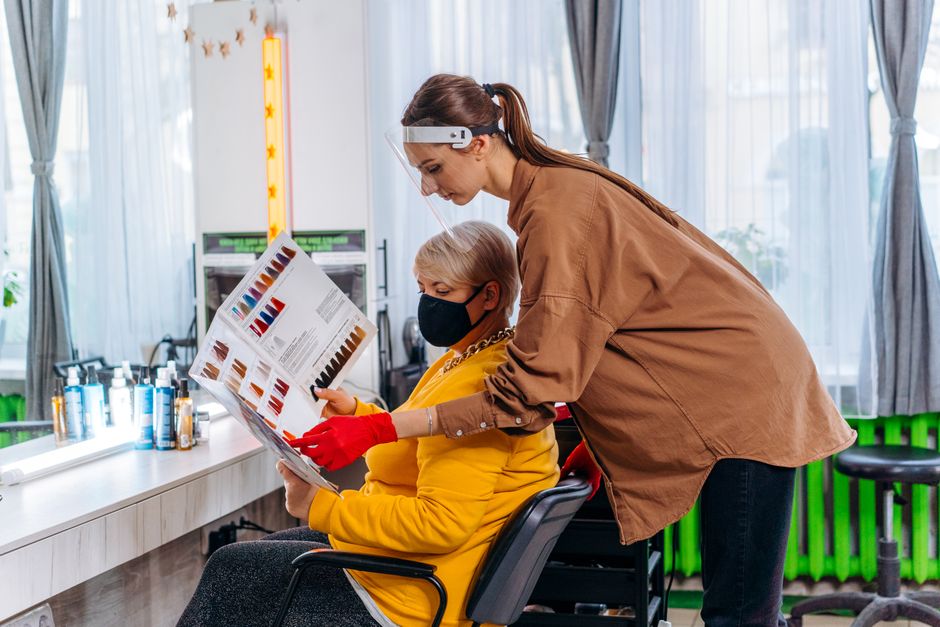
Photo by Mikhail Nilov on Pexels, via Pexels.
What Should Staff Access Look Like?
Salon booking software should help staff see what they need for their role and no more.
Reception needs the calendar, client contact details, and booking status. Service providers need appointment details and service notes. Managers may need reports, billing visibility, cancellation patterns, and staff schedules. Owners need configuration, exports, and account-level control.
If every login sees every client note, invoice, and marketing preference, the tool is making privacy discipline harder. At minimum, ask vendors:
- Can staff accounts have different permissions?
- Can lower-access staff work the calendar without changing account settings?
- Can managers export reports without giving every staff member export access?
- Can deleted or inactive staff be removed from access quickly?
- Can the system show who changed important records?
Tregovia's tenant app follows a role hierarchy from receptionist through owner, and module routes are guarded by role and module access. For example, appointments, clients, and billing are available to receptionist-level staff and above, while higher-risk areas such as settings and some exports require higher roles. The exact policy is defined in the product role matrix, so salon owners should still test whether the access model matches their own staffing pattern.
How Should Reminders And Marketing Be Separated?
Appointment reminders and marketing are different categories of communication.
A reminder says the client has an appointment at a certain time. It should be short and operational. It should avoid sensitive service details when a generic wording is enough. For example, "You have an appointment tomorrow at 10:00" is usually safer than an SMS that repeats private treatment notes.
Marketing messages are different. Offers, reactivation campaigns, review requests, and promotional newsletters need separate review. A booking system that treats every client phone number as fair game for promotions creates risk and trust problems.
When comparing tools, check whether:
- Reminder templates can be edited.
- SMS and email channels are configured separately.
- Client contact preferences are visible.
- Marketing consent is stored separately from basic booking details.
- Staff can avoid putting sensitive notes into message templates.
Tregovia has an SMS module included in the base platform and sent SMS uses credits. The clients module stores preferred contact method and email marketing consent fields. That is useful operational structure, but it does not replace the salon's own consent process or local legal review.
What Should Happen When A Client Asks For Their Data?
GDPR rights are not theoretical. A client may ask what data you hold, ask for a copy, ask for correction, object to certain processing, or ask for erasure where the right applies. The ICO notes that the right to erasure is not absolute, and the EDPB explains that portability requires a structured, commonly used, machine-readable format in applicable cases.
That means a salon should test exports before committing to software. Do not wait for the first client request.
Ask:
- Can I export client records?
- Can I export bookings and invoice records?
- Are exports machine-readable, such as CSV, where appropriate?
- Can I find every record linked to one client?
- Can I correct client contact details?
- Can I disable access or delete records according to our policy?
- What happens to backups after deletion?
- How does the vendor help if a client request involves data inside their systems?
Tregovia has CSV export paths for client and invoice records, and the billing module exports invoice rows with status, totals, currency, due date, and client details. Tregovia also uses soft deletion inside the application for ordinary operational records, with separate legally required hard-delete workflows for tenant retention and erasure tasks. That distinction matters: application deletion, retention policy, and legal erasure are not the same thing.
Where Does Tregovia Fit For Salon Booking?
Tregovia should be evaluated as service-business CRM and booking software, not as a legal compliance product.
The verified product scope relevant to salons is:
- Clients are included in the base platform and store names, contact details, preferred contact method, custom data, and email marketing consent.
- Appointments are included in the base platform.
- Billing is included in the base platform for invoices and payments.
- Online booking is included in the base platform and exposes public availability, public service listing, and public booking endpoints.
- Online booking rules cover constraints such as minimum notice, advance booking window, maximum bookings per day, and repeated no-show blocking.
- Waitlist and no-show records are part of the online booking module.
- Reports are included in the base platform.
- SMS is included as a module, with message usage handled through credits.
- CSV data import is included in the base platform.
- Client intake forms are an optional EUR 15/month module with form templates, public token-based fill links, submissions, and review workflows.
Use Tregovia pricing to model the core salon workflow. Use online booking if your immediate problem is calendar control.
The important boundary: Tregovia does not guarantee GDPR compliance. It gives salon operators a place to evaluate client records, booking, invoices, reminders, exports, access, no-show records, and optional forms. The salon still needs policies, staff training, privacy wording, vendor review, and legal advice where required.
How To Compare Vendors Without Falling For Compliance Claims
Do not accept a badge or a sentence that says "GDPR compliant" as the full answer. Ask for evidence and workflow fit.
Use this comparison table:
| Question | Weak answer | Better answer |
|---|---|---|
| Where is data stored? | "Secure cloud" | Region, processor terms, backup policy, subprocessor list |
| How is consent handled? | One checkbox for everything | Separate purposes for booking, policy acknowledgement, photos, and marketing |
| Can staff access be limited? | All staff have the same view | Role-based access that matches actual salon jobs |
| Can data be exported? | PDF only | Structured export for relevant records |
| Can fields be reduced? | Fixed form asks everything | Service-specific fields with clear purpose |
| Can reminders be edited? | Generic messages only | Salon-controlled wording for SMS and email |
| What happens after deletion? | "We delete it" | Documented application, backup, and retention handling |
| Is compliance guaranteed? | Yes | No guarantee, but clear tools and documented responsibilities |
Vendor pages from SimplyBook.me, Reservio, SalonIQ, Answering Agent, Salonized, and similar providers show that the market knows GDPR is part of salon software selection. The gap for buyers is not awareness. The gap is turning the claim into a testable workflow.
A Practical Salon Booking GDPR Checklist
Before switching systems, run a small pilot with one service category:
- Build the public booking page with only necessary fields.
- Add a plain privacy link near the form.
- Separate appointment reminders from marketing opt-ins.
- Test a sensitive-service form only if that service really needs it.
- Create a receptionist account and a manager account.
- Check what each role can see.
- Book, cancel, reschedule, and mark one appointment as no-show.
- Send one reminder using neutral wording.
- Export the test client and invoice.
- Document how deletion or correction would be handled.
If the system cannot pass this small test, do not migrate the whole client base yet. A clean demo calendar is not enough. Your acceptance test should include the awkward parts: old notes, missing consent, a former staff member, a client who wants their record, and a service where the booking form is tempted to ask for too much.
Related Software Guides For Service Businesses
For similar GDPR and booking workflows across other service professions, see nutritionist software, GDPR intake forms for clinics, and nail salon software.
Common Mistakes Salons Make
Treating GDPR As A Vendor Badge
A vendor can give you useful tools and contractual terms. It cannot decide your lawful basis, retention period, or staff training plan.
Mixing Marketing Consent With Appointment Messages
Clients expect reminders for bookings they made. Promotional messaging should be handled separately.
Collecting Sensitive Notes Too Early
Do not ask for allergy, medication, or skin details during initial booking unless the service requires that information at that stage.
Giving Every Staff Member Full Access
Small teams often share logins for convenience. That weakens accountability and makes access review nearly impossible.
Forgetting Exports Until You Need Them
Test export quality before migration. A pretty PDF may be useless for portability or moving systems.
Keeping Old Booking Data Forever
Retention should be deliberate. If the tool has no deletion or archive process, the salon has to compensate with manual policy.
Putting Private Details Into SMS
SMS is useful for reminders, but keep messages neutral. Appointment time and location usually matter more than treatment details.
Frequently Asked Questions
What is GDPR-compliant booking software for salons?
GDPR-compliant booking software for salons is software that helps a salon collect only necessary client data, explain how that data is used, control staff access, handle exports or deletion requests, and document vendor responsibilities. It should make consent, booking fields, reminders, and exports easier to manage. The software helps, but the salon still needs its own lawful basis, privacy notice, retention policy, and staff process.
Does salon booking always need client consent?
No. Consent is only one lawful basis. A salon may rely on another lawful basis for ordinary booking administration, depending on local advice and the exact processing activity. Marketing messages, sensitive consultation details, photos, and optional tracking should be reviewed separately. The practical software test is whether the booking tool lets you separate necessary appointment processing from optional communications and data collection.
What salon data should be collected during booking?
Collect the minimum data needed to confirm the appointment and prepare the service: name, contact details, service, preferred time, and necessary notes. Avoid collecting allergy, medical, photo, or marketing-preference details unless the purpose is clear and the client understands why it is needed. For higher-risk services, use service-specific forms rather than a vague open text box.
Is EU hosting enough for GDPR compliance?
No. EU hosting can reduce some transfer questions, but it is not a complete GDPR answer. A salon still needs vendor terms, role access, exports, deletion handling, retention rules, secure staff logins, and a clear process for marketing consent. Hosting location is a useful due-diligence item, not a substitute for operational privacy discipline.
Should salons store patch-test or allergy notes in booking software?
Only if the salon has a clear reason, appropriate wording, and suitable access controls. Patch-test and allergy notes can be important for service safety, but they should not be gathered casually or exposed to every staff login. If a booking system stores these notes, test who can see them, how long they are retained, and whether they can be exported or corrected.
Can appointment reminders be sent under GDPR?
Operational reminders are usually treated differently from marketing, but salons should confirm their lawful basis and message wording. Keep reminder content minimal: appointment time, location, and neutral preparation instructions. Avoid sensitive treatment details in SMS. Promotional offers, reactivation campaigns, and review requests need separate consent and policy review.
What should salons ask booking-software vendors?
Ask where data is stored, who the subprocessors are, whether a data processing agreement is available, how staff permissions work, how exports work, how deletion requests are handled, how backups are treated, how consent fields are recorded, and whether message templates can be edited. Also ask what the software does not handle, because no booking tool can replace salon policy.
Where does Tregovia fit for salons?
Tregovia can be evaluated for clients, appointments, public booking availability and booking, booking rules, waitlist and no-show records, billing, reports, CSV exports, SMS credits, and optional intake forms. It should not be described as a legal compliance guarantee. The right comparison is whether its booking and CRM workflow fits the salon's data handling process.
Key Takeaways
- GDPR-compliant booking software for salons is a workflow question, not a badge.
- Separate booking administration, sensitive service notes, and marketing consent.
- Collect fewer fields on the public booking page.
- Test staff access before migrating all client records.
- Verify exports, deletion handling, vendor terms, and backup policy.
- Keep SMS reminders neutral and operational.
- Treat hosting location (e.g., EU vs. non-EU) as one due-diligence item, not a full compliance answer.
- Tregovia can be evaluated for the operational CRM workflow, but the salon remains responsible for policies and legal review.
Conclusion
The best GDPR-compliant booking software for salons is the tool that makes privacy duties practical during everyday work: booking, reminders, client records, staff access, billing, forms, exports, and deletion handling. A vague compliance claim is not enough. Test the client journey, reduce unnecessary fields, separate marketing from appointment messages, and make sure staff access matches real salon roles before moving your records.
Tregovia can be evaluated as a CRM and booking platform for salons that want clients, appointments, online booking, billing, reports, reminders, exports, and optional intake forms in one operational workflow. Start with the pricing page, then test the booking workflow against your own GDPR checklist before committing.
Related articles
Commercial
GDPR Booking Software for Nail Salons (EU Guide)
A practical EU buyer guide for nail salons choosing booking software: consent, reminders, client records, access controls, exports, and pricing checks.
Informational
Is My Booking App GDPR-Compliant?
Is my booking app GDPR-compliant? Map where client data is stored, processed, exported, deleted, and shared before choosing software.
Commercial
GDPR Booking Software for Massage Therapists
How EU massage therapists should evaluate booking software for GDPR-aware intake, health notes, consent, access control, exports, reminders, and billing.
Check salon booking workflows before switching
Evaluate clients, appointments, online booking, reminders, billing, reports, exports, and optional intake forms with a privacy-first checklist.